

An hours statement is the summary you send a client to show the work done in a period: date, task, hours and, at the bottom, how that compares with what you agreed. Clients who pay by the hour use it to understand the invoice. Clients on a block of hours or a retainer use it to see how many hours they have used and how many are left.
It is not your internal time log. The log holds all your time, including hours you do not charge. The statement holds only what relates to the agreement with that client, written so they recognise it.
This guide, also as a PDF
Subscribe to the newsletter: once you confirm from the link in the email, the PDF guide opens.
This site is protected by reCAPTCHA and the Google Privacy Policy and Google Terms apply.

Four figures to keep apart
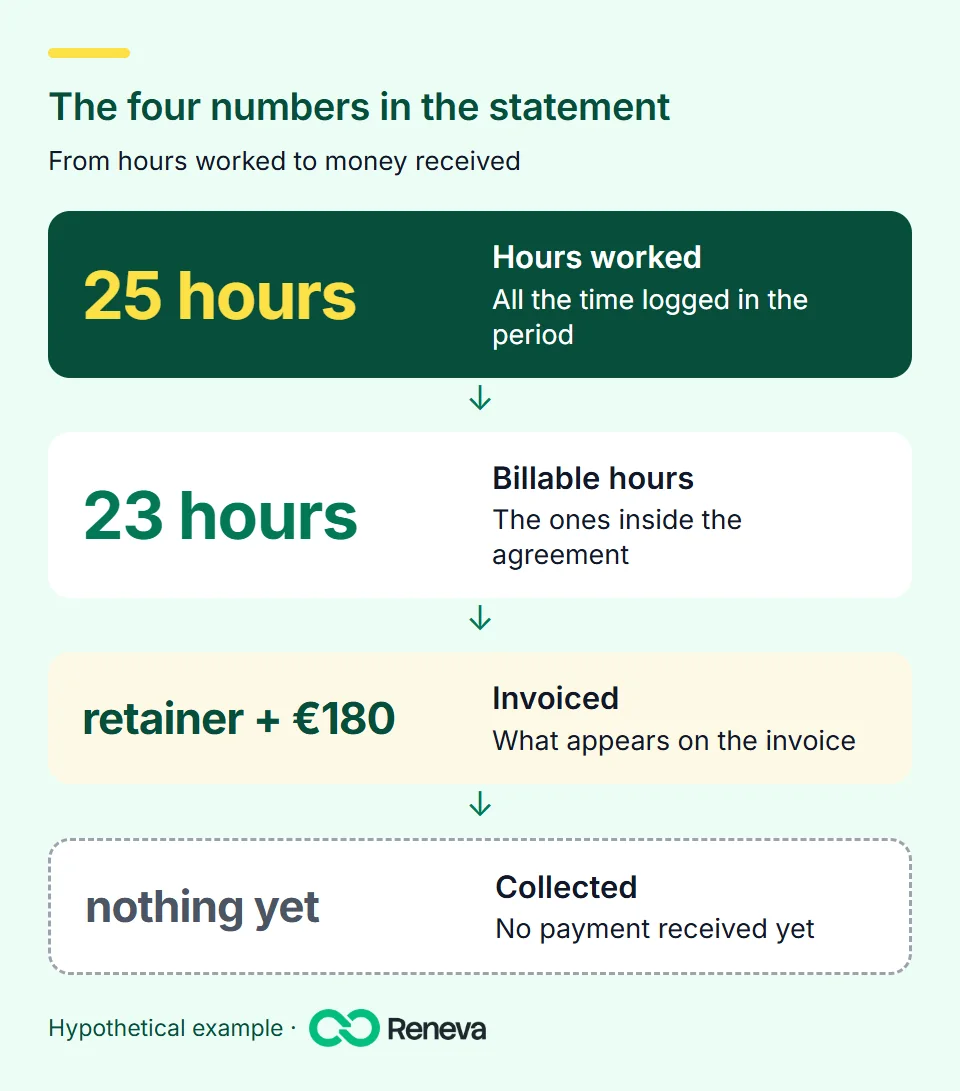
Before choosing columns, be clear about which hours the sheet describes. Hours worked are all the time logged for the client. Billable hours are the ones the agreement lets you charge. Invoiced hours have already gone into an invoice. Paid hours, or rather the fees received, are what the client has actually paid.
The statement shows billable hours, split into included and extra. It does not say what has been paid: payments received tell you that. The difference between worked and billable time is covered in the article on billable hours; the gap between invoices and payments in invoiced sales and money received.
How to lay out an hours statement
At the top, put the details that place the sheet:
- the client and, if you run more than one project or service for them, which one;
- the agreement it refers to, such as “Monthly retainer, 20 hours included” or “40-hour block bought on 15 September”;
- the period, with a start and end date;
- the date the sheet was prepared.
Then the table. Four columns are nearly always enough: date, task, hours and status under the agreement (included, agreed extra, not charged if you choose to show them). If several people work on the account and the client wants to see who did what, add a column for that. The rate does not belong on every line: it appears once, next to the extra hours total.
At the bottom, the totals the client is really looking for: hours in the period, included hours used, extra hours and, where the agreement provides for them, hours still available.
A complete example
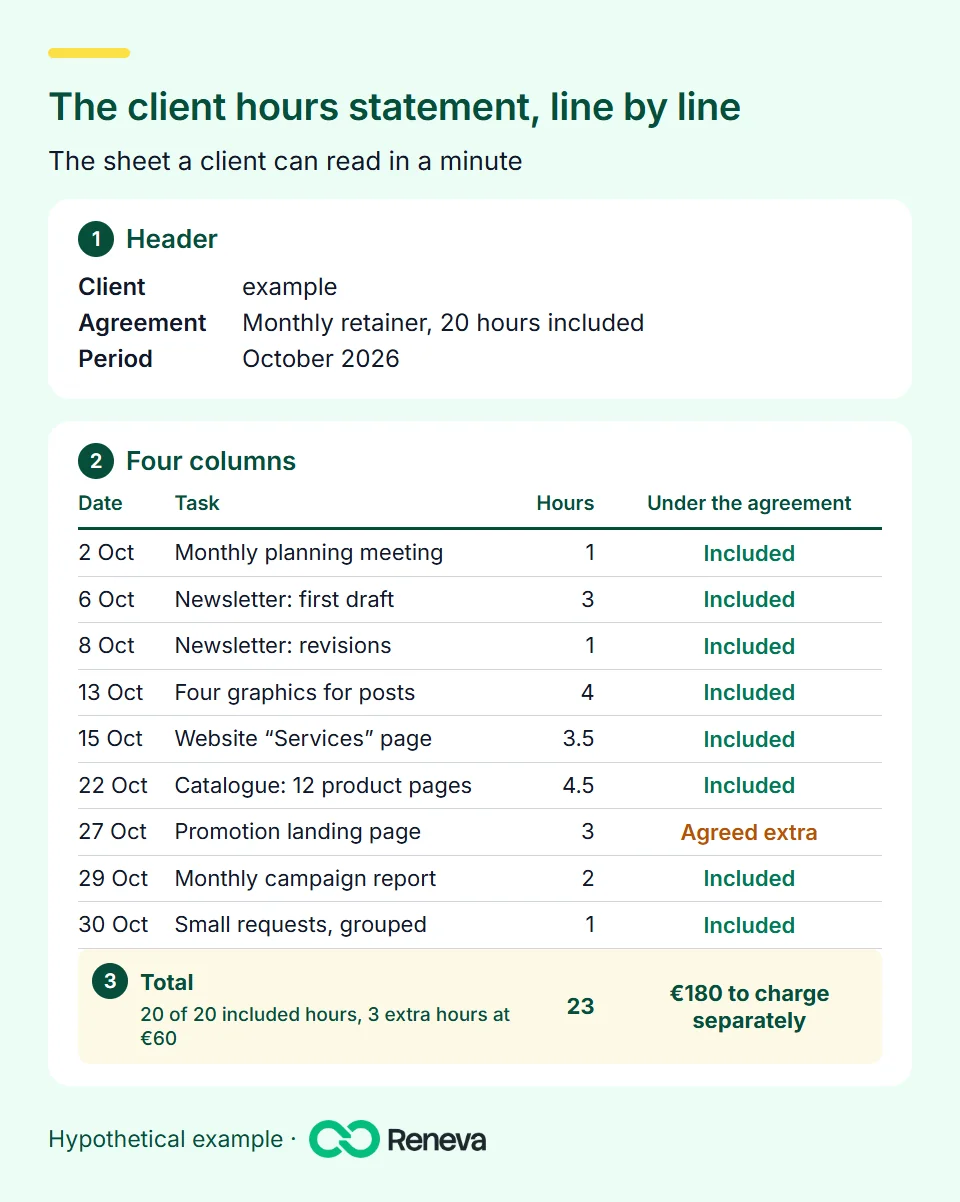
An invented example: an agency handles a client’s communications on a monthly retainer of €1,000 that includes 20 hours. Work outside the retainer’s scope is agreed separately at €60 an hour. Here is the statement for October 2026.
| Date | Task | Hours | Under the agreement |
|---|---|---|---|
| 2 Oct | Monthly planning meeting | 1 | Included |
| 6 Oct | October newsletter: first draft of copy | 3 | Included |
| 8 Oct | Newsletter: revisions after comments of 7 October | 1 | Included |
| 13 Oct | Four graphics for posts from 19 to 23 October | 4 | Included |
| 15 Oct | Website “Services” page: copy and images updated | 3.5 | Included |
| 22 Oct | Online catalogue: 12 product pages updated | 4.5 | Included |
| 27 Oct | Landing page for the November promotion, requested on 23 October and approved as extra on the 26th | 3 | Agreed extra |
| 29 Oct | Monthly campaign report | 2 | Included |
| 30 Oct | Messages and small requests for the month, grouped | 1 | Included |
| Total | 20 of 20 included hours used, 3 extra hours at €60 | 23 | €180 to charge separately |
The landing page is extra because of its scope, not because the hours ran out: the client asked for it as a separate piece of work and approved it before it started. Had the 20 hours run out on the 25th, any later request would have needed an agreement before the work was done. Finding out at the end of the month, from the statement, is the quickest way to start an argument.
That month the agency worked 25 hours for this client. Two hours are missing from the sheet: they went on fixing the agency’s own mistake in the content calendar, and it chose not to charge for them. Worked 25, billable 23. The October retainer had already been invoiced at the start of the month, as the agreement says; the €180 for extra hours goes on the next invoice. Neither amount counts as paid until the money reaches the bank account.
How to describe tasks
A line works when the client understands it without having to ask. Give the subject, the outcome and, if there is one, the request behind it.
- “Changes” says nothing. “Newsletter: revisions after comments of 7 October” says what, why and when.
- “Social” is too vague. “Four graphics for posts from 19 to 23 October” can be checked.
- Twelve five-minute lines for twelve emails wear the reader out. If the agreement allows it, group them into one line for the month.
If you round durations, say to the nearest quarter of an hour, do it the way you agreed and note it once at the foot of the sheet. Without an agreement, report the durations you logged.
What to leave out
The statement is written for the client. Leave out:
- internal time: quotes for other clients, admin, training, running the agency;
- hours you decided not to charge, like the two in the example. You can also show them with nothing to pay if you want the effort to be visible; pick one approach and stick to it;
- internal costs and contractor rates, which concern your project margin, not the client;
- internal notes and names of other clients that slipped into descriptions;
- sessions still running or waiting to be corrected: close and check them first.
Hourly, block of hours or retainer
The layout stays the same. The totals at the bottom change.
- Hourly. Total billable hours multiplied by the agreed rate are the basis for that period’s invoice.
- Prepaid block of hours. You need these figures: hours bought, hours used in earlier periods, hours used in this period and hours left. The client should be able to redo the sum alone.
- Retainer with included hours. Hours included in the period, hours used, agreed extra hours and what happens to unused hours. Whether they lapse, roll over or turn into something else is for the agreement to decide, not the statement. The points to settle in advance are in the article on agency retainers.
If you are still deciding how to sell a piece of work, comparing a fixed fee with an hourly rate shows which kind of statement you will end up preparing.
When to send it and how it links to the invoice
Send it at the end of the period and before invoicing any hours that depend on it: pay-as-you-go hours or extras. The client can then query a line they do not recognise while it is still cheap to fix. A deadline for queries, such as five working days, belongs in the agreement; making one up in the covering email does not work.
The statement does not replace the invoice. The invoice is the document that counts; the statement explains it. In the invoice description you can refer to the service and period, for example “Extra hours, October 2026, as per the statement sent on 2 November”, and attach the sheet to the email. If you are unsure how to describe services on an invoice, ask your accountant.
Once the invoice is issued, the statement has done its job. From then on, what matters is payment, which you follow through payments received and due dates.
Preparing the summary in Reneva
In Reneva you log hours with the Timer against subscriptions, client projects and internal projects. From the client profile, in the activity section, Summary downloads a PDF for the client with what was done in a period: choose From and To, untick any activities you do not want to show and select Download. If your role can see the Hours report, the top of the sheet lists the tasks with hours tracked in the period, grouped by project.
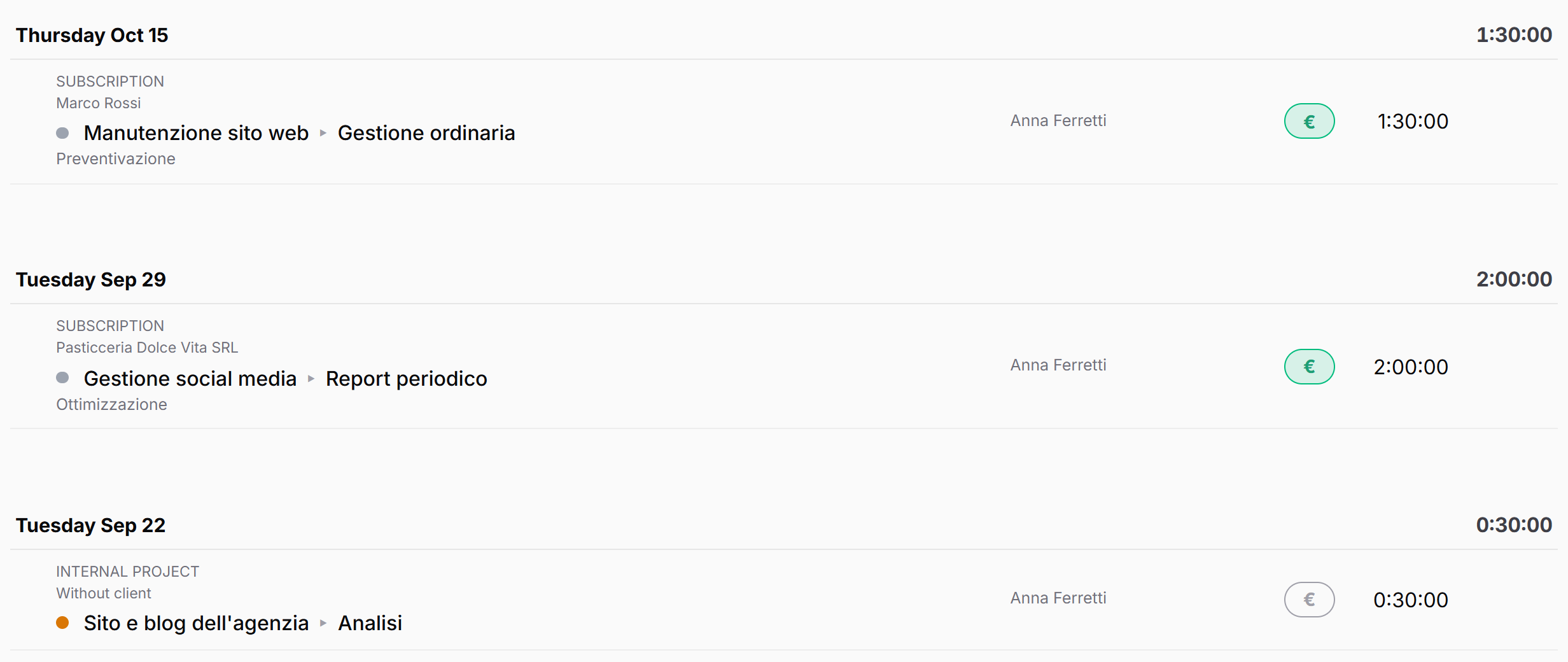
With Also show the hours, ticked by default, each task shows the hours worked and, if you set them, the estimated hours, for example “8h / 10h”. At the bottom, if you can see the Hours report, is the total hours tracked for the client, the same figure as the Hours tab in Analysis. The summary shows no notes, costs or rates and is not a fiscal document. You download it and send it yourself. The Clients Guide walks through these steps.
Two checks stay with you. The total covers all tracked hours, not only billable ones, and Reneva does not mark which hours you have already invoiced: compare the sheet with the agreement before you send it. On subscriptions, Used compares tracked hours with the hours budget for the current period and restarts at each due date. It is a good place to spot early that the included hours are about to run out.


