

Billable hours are working hours you can charge to a client under the agreed service. To count them, start with the activities covered by the agreement and record the rest of your time too. Administration, sales and internal work help explain where the week goes.
Worked, billable, invoiced and paid describe different stages. Time records show what you did; the agreement defines what you can charge; documents and payments need their own checks.
This guide, also as a PDF
Subscribe to the newsletter: once you confirm from the link in the email, the PDF guide opens.
This site is protected by reCAPTCHA and the Google Privacy Policy and Google Terms apply.

Which activities does the agreement cover?
A meeting can be chargeable, included in a fixed fee or part of your sales work. The same applies to preparation, messages and revisions. Read the agreed service before classifying the time.
Thread Solutions includes meetings, research and communications in the billable activities it describes for its time-based work. This is an example of how one supplier defines its work. In your case, use the agreements you made with the client.
Give each session a recognisable description. “Service page copy revisions, requests dated 6 November” helps reconstruct the work better than “Changes”. If a request falls outside the agreed service, clarify how to handle it before treating it as an additional charge.
A forty-hour week
Consider an entirely invented week, with 40 hours logged by one person. In this case, the hourly agreements cover the delivery work, meetings and revisions listed below. The other activities are internal or sales work.
| Activity | Hours | Treatment in this example |
|---|---|---|
| Work on client projects | 18 | Billable under the hourly agreements |
| Meetings and preparation for those projects | 4 | Billable, expressly covered by the agreements |
| Agreed revisions | 3 | Billable under the same agreements |
| Quotes and sales meetings | 6 | Internal sales time |
| Administration | 5 | Internal time |
| Training and organisation | 4 | Internal time |
| Total | 40 | 25 billable + 15 internal |
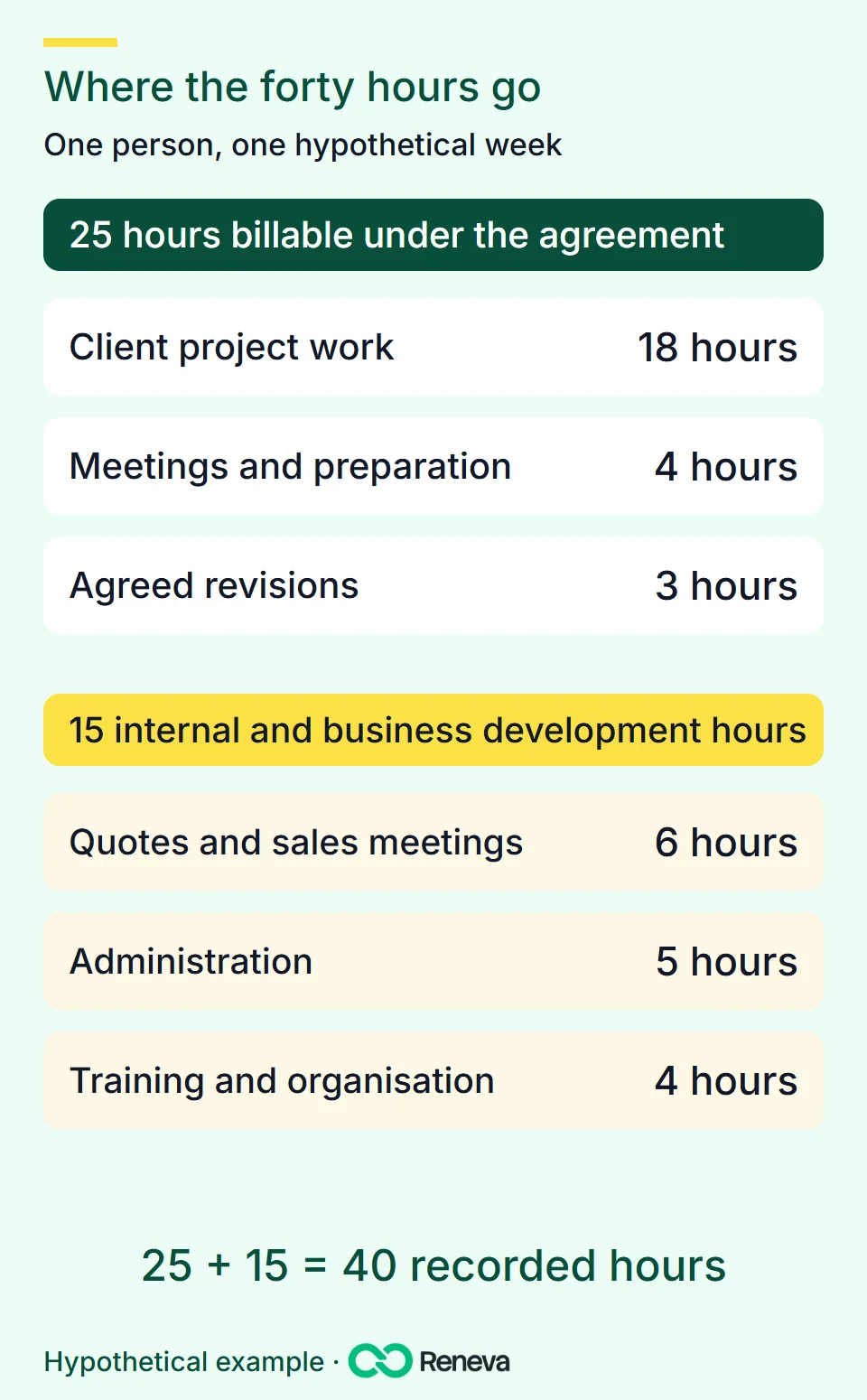
Keeping the fifteen internal hours in the record lets you see the whole week. Logging only the twenty-five chargeable hours would leave out the time spent finding clients, administering the business and preparing future work.
Calculate the billable share
Use the same person, period and set of activities for both parts of the calculation:
Billable share = billable hours ÷ total hours logged × 100.
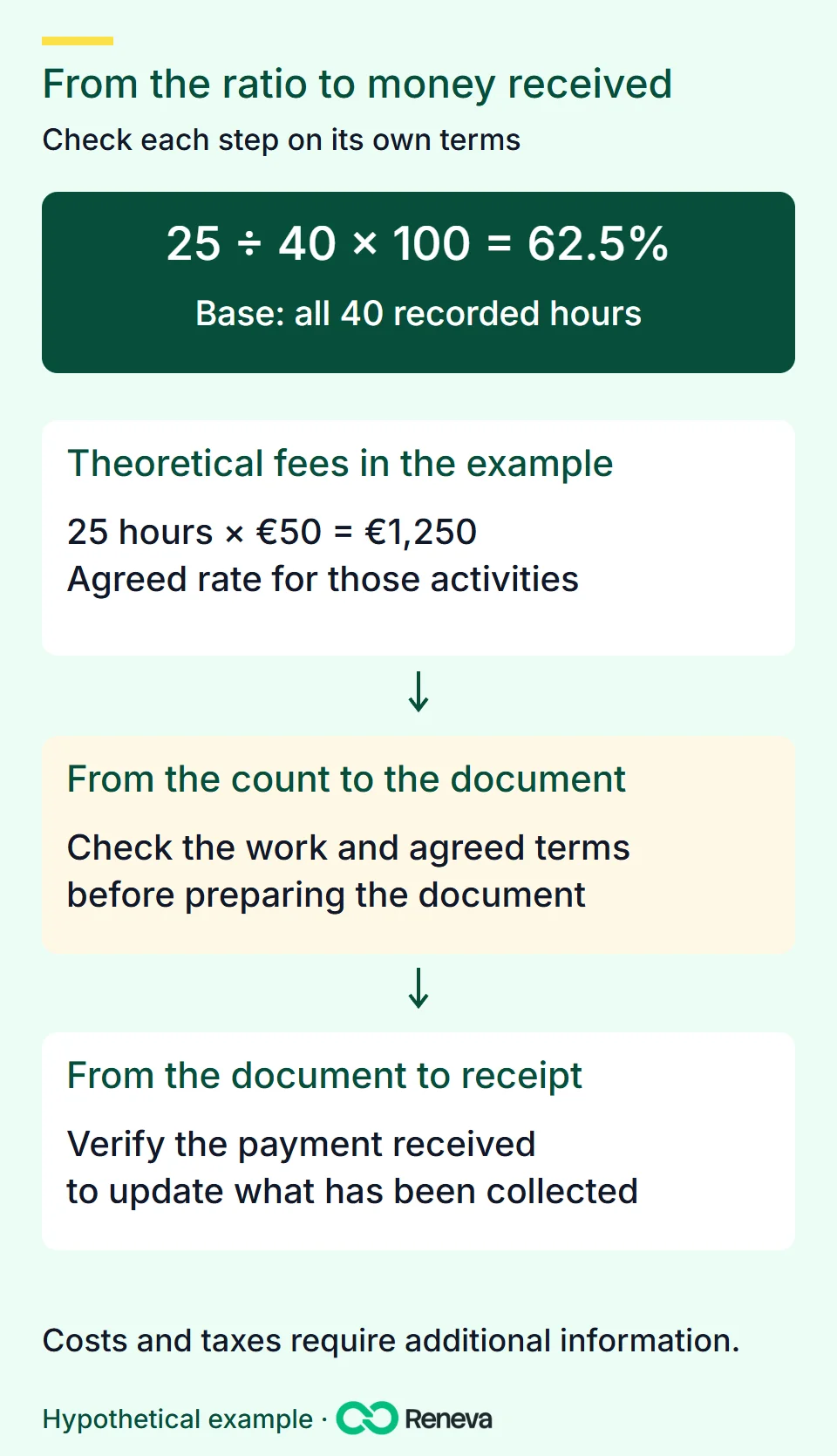
For our week: 25 ÷ 40 × 100 = 62.5%. The base is all forty recorded hours, including the fifteen internal hours. This percentage describes that period. To interpret it, look at what the activities involved, such as preparing new proposals.
If all twenty-five hours in the example have an agreed rate of €50, the calculation is 25 × €50 = €1,250 in potential fees. Before creating a document from the time records, check the activities and terms of the agreement. To establish what has been paid, check payments received. Multiplying hours by a rate does not calculate net profit: costs and taxes require other information.
The separate case of fixed-fee work
Now change the model: a hypothetical project has a fixed fee of €400 and takes six hours. Those six hours show the effort spent on the project. The fee for the included work remains the agreed amount, even if an hourly rate used to analyse the time would produce another figure.
When a further request arrives, compare it with the scope and agree any change. You can also measure the time an ongoing service takes without automatically converting it into an hourly charge.
Record sessions in Reneva
With the Reneva Timer, choose the project and, if needed, the task, then record the session. The Billable setting classifies the time: keep it distinct from work already invoiced. The Timer Guide shows that step.
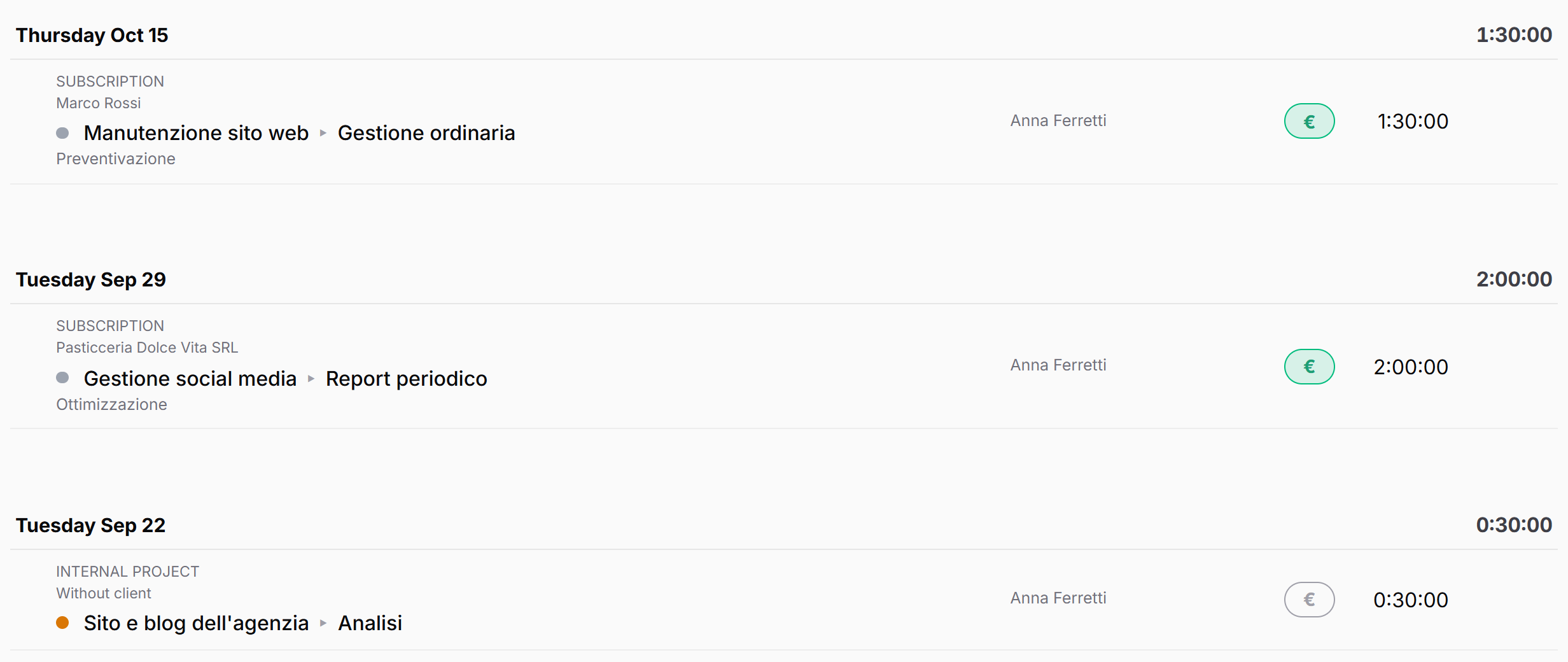
Totals include closed sessions; their value uses the applicable project or configured category rates. Before reading the weekly summary, check that sessions are finished and that the project, classification and rate match the work. Keep that value separate from internal cost and compare it with the fee actually agreed.


