

You create a new project in your management software, then copy its title, client and date onto the team's work board. If you want to avoid that second entry, you can plan a connection that creates the card with the information you choose.
APIs and webhooks can play two parts in that process: an API lets one program request data or an action; a webhook notifies another program when an event happens. To understand how to use them, start with the card you want to see on the board.
This guide, also as a PDF
Subscribe to the newsletter: once you confirm from the link in the email, the PDF guide opens.
This site is protected by reCAPTCHA and the Google Privacy Policy and Google Terms apply.

Choose what to transfer
Imagine a project called “Website redesign for client R”. You create it in your management software and want four pieces of information to appear on the board:
- the project reference;
- its title;
- the client;
- the expected date.
The management software holds the original information; the board uses it to create a card for the work. That is the first connection to discuss with the person who will build it.
Decide what should happen if you change a detail later, too. Creating a card and updating an existing card are different requests that need to be specified separately. To begin with, we will follow only the creation of a new project.
An API: a program makes a request
An API gives a program a defined way to ask another tool for data or an action. In our example, the automation can ask the board's API to create a card with the title, client, date and project reference, if that operation is available and permitted.
The request is made when needed. An API can also be used for periodic checks, but the word API does not mean that one program has to keep asking the other for updates.
A webhook: the management software sends a notification
A webhook sends a notification to a configured destination when a chosen event occurs, such as a project being created. The automation receiving the notification reads the data and prepares the request to the board.
The useful distinction is who starts the exchange, as Red Hat's guide to webhooks also explains:
| In the example connection | What happens |
|---|---|
| The management software's webhook | Notifies the automation that a project has been created |
| The board's API | Receives the automation's request to create a card |
APIs and webhooks can therefore work in the same process. The person building the connection configures an available event, chooses the fields and prepares the action in the second tool. Your job is to make the result the team needs clear.
From project to card: the process to ask for
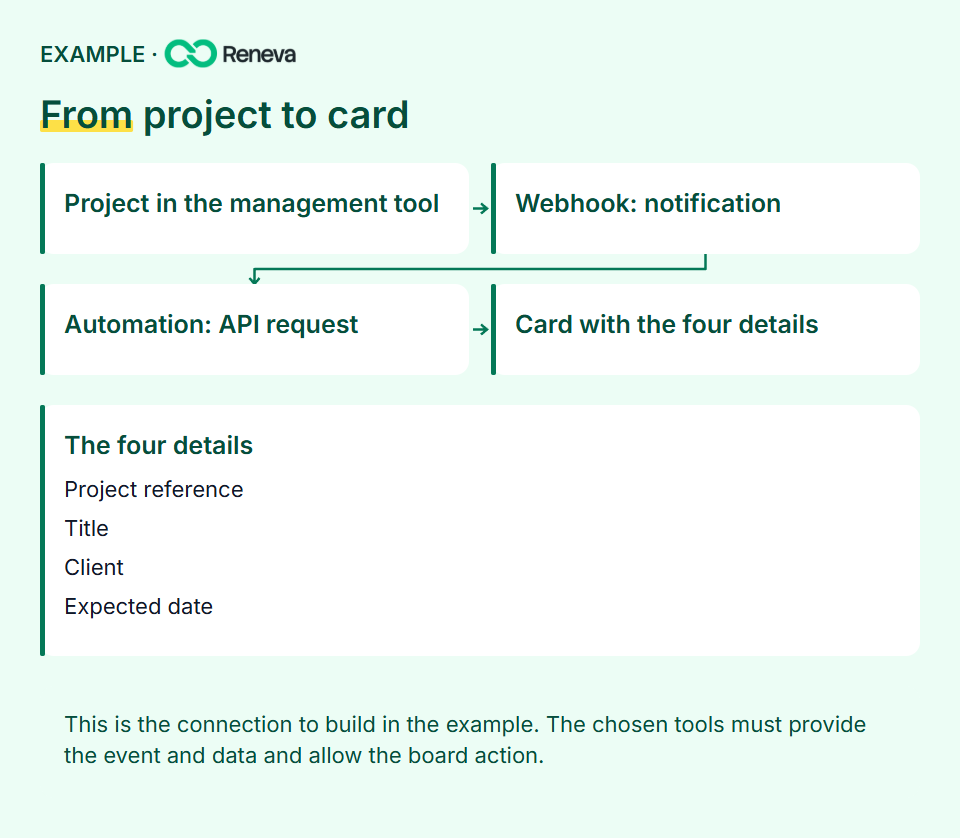
For “Website redesign for client R”, the planned process is:
- You create the project in your management software.
- The configured webhook sends the notification to the automation.
- The automation prepares the data for the board and uses its API.
- The board creates the card, keeping a reference to the original project.
This is an example of a connection to build and test. Before enabling it, the person implementing it needs to check that the management software provides the event and data required, and that the board allows the requested action.
If you use Reneva, you can start with the Webhooks guide. It describes selecting events, including those for Client projects, the destination and the log of delivery attempts. The API guide explains keys and permissions for the sections allowed. Give these references to the person preparing the connection; creating the card still needs to be implemented in the integration with the board you choose.
If the same notification arrives twice
You want one card for the new project, even if the notification is repeated. Ask the person building the automation for that result: the receiving program needs to recognise a notification it has already handled and retain the outcome of the action.
To make the test easy to recognise, give the project the fictional reference P-041 and the notification E-017:
| Proposed test | Result to check on the board |
|---|---|
| First delivery of E-017 | One card with the information and reference P-041 |
| Redelivery of the same E-017 | Still only one card for that step |
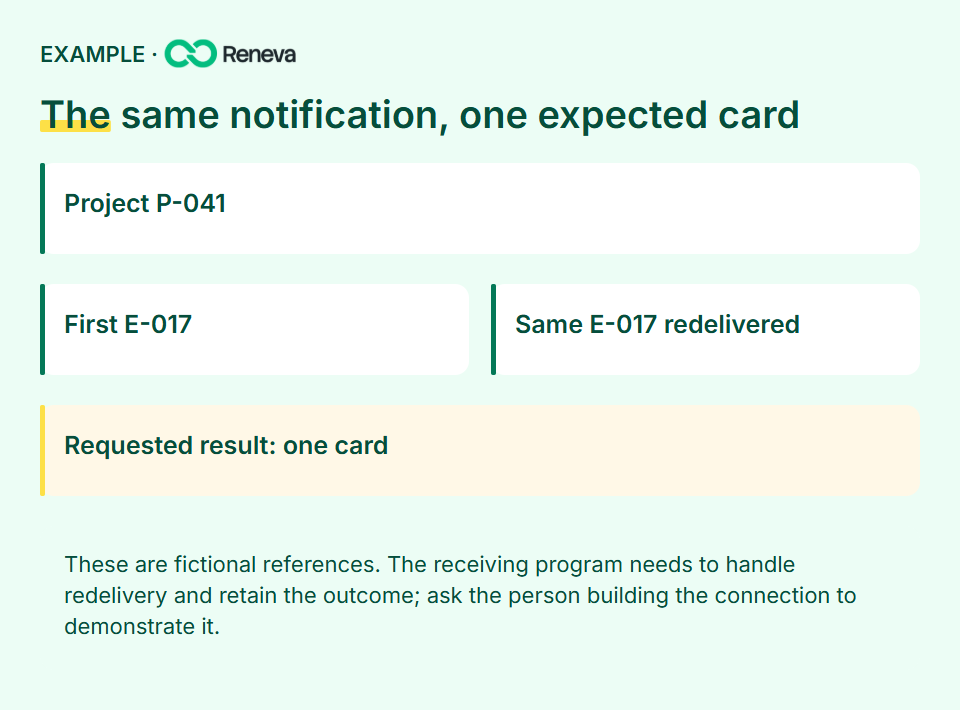
This behaviour depends on how the connection is built. In its own webhook documentation, GitHub explains, for example, that a redelivery keeps the same identifier and that a notification can be acknowledged before it is processed. Whoever prepares your integration needs to check the rules of the tools involved and handle the outcome of the action.
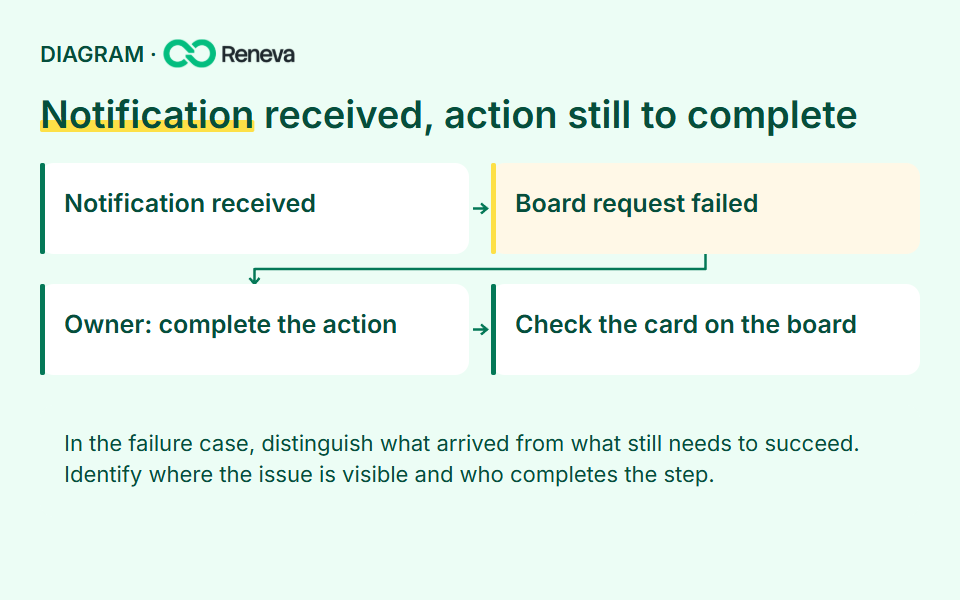
If the notification arrived but the request to the board failed, you need a way to complete that step. Confirmation that the notification was received does not, on its own, prove that the card exists: open the board and check the result.
Three checks before using it in everyday work
Ask the person building the connection to show you these checks with a test project:
- A new project. The card appears on the correct board and contains the four expected details.
- The same notification repeated. There is still one card, with the correct reference.
- A failed action on the board. The problem is visible, and you know who needs to act and how to resolve it.
Before giving the go-ahead, clarify which access is needed and which data it will be limited to. Assign someone to follow up errors and any changes to the connection.
You can summarise the request like this: “When I create a project in the management software, I want a card on the board with its title, client, date and reference. If the same notification arrives twice, there should still be one card. If creation fails, I want to know where to see the problem and who will resolve it.”
That is specific enough to assess a first integration and simple enough for the team to check in its day-to-day work.


