

If you prepare quotes for individual jobs and work on Windows, I would put Danea Easyfatt first among the two options in this comparison. The same preference applies if your main need is to repeat invoices for monthly services. If you start with work and hours that need to become invoice items, I would consider InvoiceBuddy first.
The reason depends on your work: the document process in the first two cases, and each client’s completed work in the third. Here are the alternatives and the trade-off that could change your choice.
This guide, also as a PDF
Subscribe to the newsletter: once you confirm from the link in the email, the PDF guide opens.
This site is protected by reCAPTCHA and the Google Privacy Policy and Google Terms apply.

Three profiles, a first choice and an alternative
This comparison looks at Easyfatt and InvoiceBuddy in the situations below. Anna, Marco and Sara are fictional people. The preferences reflect their needs and the features described by the providers.
| Your work resembles… | First option | Why start there | When to consider the alternative first |
|---|---|---|---|
| Anna: a few jobs, quotes and work on Windows | Easyfatt | A process from quote or proforma to invoice or professional fee note, with payment due dates | InvoiceBuddy if working in a browser or billing from completed activities becomes central |
| Marco: monthly services at agreed amounts, working on Windows | Easyfatt | Recurring invoices and payment due dates | InvoiceBuddy if the monthly invoice is mainly built from hours and completed activities |
| Sara: hours for different clients that need to reach their respective invoices | InvoiceBuddy | Activity recording and a view of each client’s billable amounts to use in invoicing | Easyfatt if the completed work has already been checked elsewhere and the main need is to handle documents on Windows |
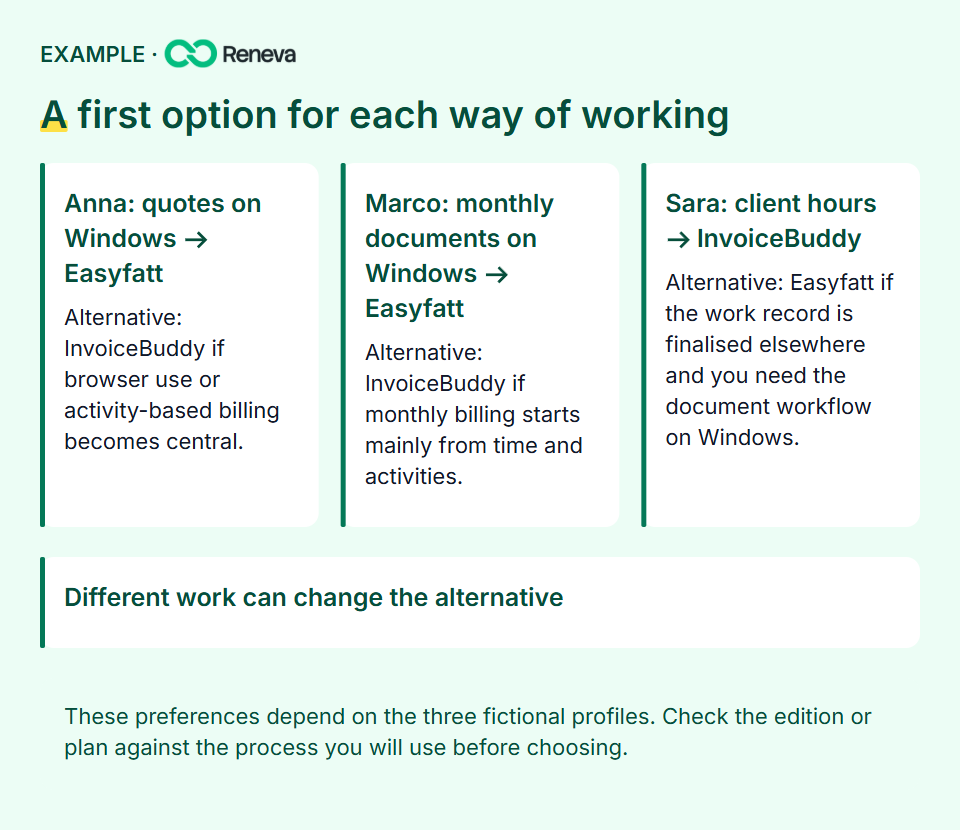
These starting points help narrow the choice before a trial. You then need to check the edition or plan you would buy against the process you will actually use.
A few jobs: Easyfatt if you start with quotes on Windows
Anna handles three separate jobs a month. The price is agreed in advance: she prepares a quote and needs to find that job again when it is time to invoice.
For her, I would evaluate Easyfatt first. Danea’s page for professionals describes a PC/Windows process with quotes and proformas that can be converted into invoices or professional fee notes, alongside payment due dates. Those steps fit the way Anna sells and follows her jobs.
The trade-off is accepting that PC-based process and finding the edition that includes what she needs. A product’s overall feature list does not establish which features each edition includes.
InvoiceBuddy becomes the first alternative if Anna wants to work in a browser. Its official overview describes online software for service businesses, with activities, hours and fixed amounts recorded for invoicing. If time starts to determine her charges, that approach also becomes relevant to how she works.
Monthly services: Easyfatt for repeating invoices, InvoiceBuddy for billing completed work
Marco has six clients with monthly services at agreed amounts and works on Windows. He needs to identify the invoice for each period and follow its payment due date.
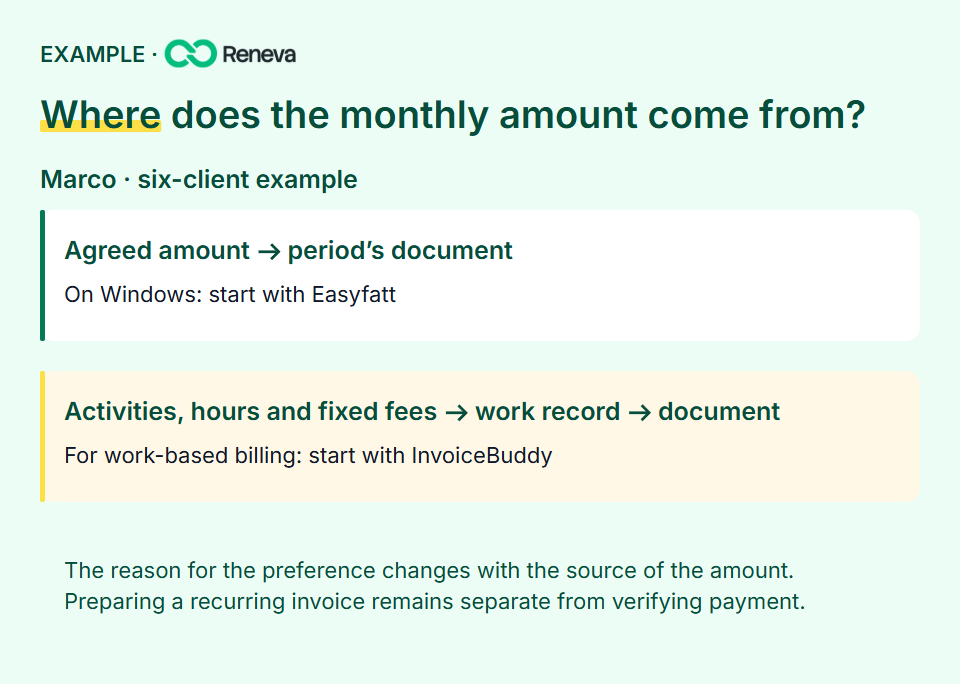
Of these two options, I would again start with Easyfatt. Danea includes recurring invoices and payment due dates on its page for professionals. Repeating documents is the reason for this preference, with the process to be configured in the chosen edition.
A recurring invoice and a payment are two different events. Repeating the invoice does not mean the client has paid; Marco still needs to check incoming payments.
The preference shifts towards InvoiceBuddy if the monthly bill mainly reflects completed work. If Marco records activities, hours and fixed fees for each client and uses them to build the amount to invoice, InvoiceBuddy’s described process is closer to his work.
The deciding point is where the invoice amount comes from: a periodic amount already agreed, or work that needs to be accounted for. If you also need to manage service periods and their connection to documents, add that requirement to your choice. It goes beyond repeating an invoice.
Hourly work: InvoiceBuddy if recorded time needs to reach the invoice
Sara needs to account for 4 hours for client Alfa and 3 hours for client Beta. At present, she reconstructs the work done before preparing the documents.
For this case, I would put InvoiceBuddy first. Its features page describes integrated time recording and a view of the billable amounts for each client. The overview connects activities, hours and fixed fees to invoicing. The same features page states that it sends invoices to SdI, Italy’s Sistema di Interscambio, and receives purchase invoices.
What Sara needs is concrete:
| Client | Work record to keep separate | Next step |
|---|---|---|
| Alfa | 4 hours | Prepare Alfa’s invoice items using the agreed fee |
| Beta | 3 hours | Prepare Beta’s invoice items using the agreed fee |
| Total work | 7 hours | Keep the two clients separate |
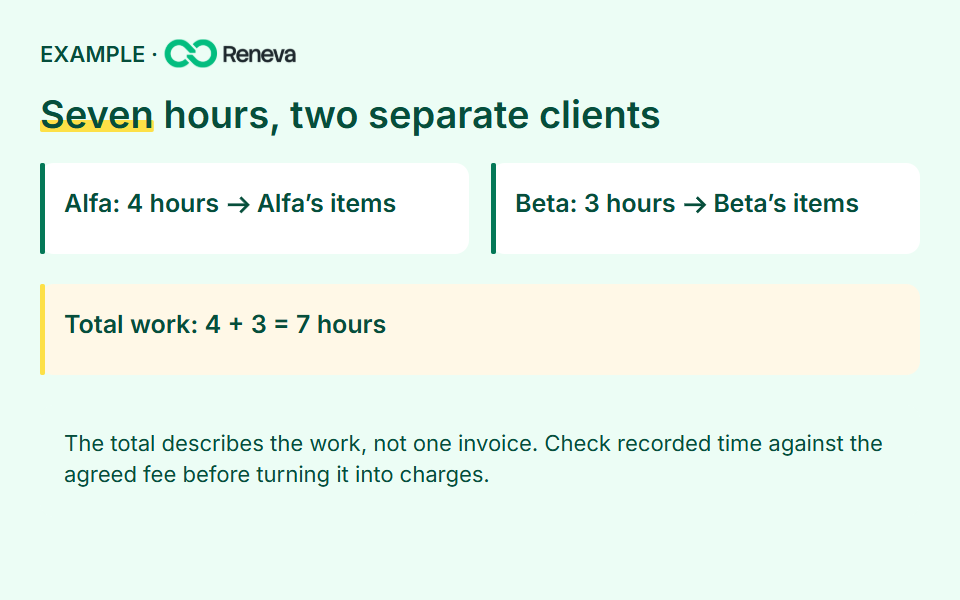
Seven hours is the total work, not a single invoice. Recorded hours still need to be checked against the agreed fee before they become charges.
Easyfatt remains an alternative if Sara already has a final, checked record of the work in another tool and mainly wants to prepare documents and follow payment due dates on Windows. In that case, the step that made InvoiceBuddy the first choice has already been handled elsewhere. Any transfer of hours between tools is a specific detail to confirm.
A short trial to confirm the choice
You now have an option to consider first and know what could change that preference. A trial can focus on the decisive step:
- for Anna, moving from a quote to the document her work calls for;
- for Marco, preparing two clearly distinguishable periods and reading the relevant payment due date;
- for Sara, keeping Alfa’s and Beta’s work records separate while preparing the items to invoice.
Use fictional data and a quote, or an environment the provider permits for testing. Before buying, confirm the actual edition or plan, the operations included, the sending and receiving conditions, and the legal archiving service. For costs, consult the provider’s current terms. Do not assume every feature in the general presentation is included in your chosen plan.
The first choice still has a clear reason: Easyfatt for handling documents on Windows in Anna’s and Marco’s cases; InvoiceBuddy for turning Sara’s completed work into invoice items. Browser access, where the amounts come from and the tools you already use are the conditions that can change that preference.


