

A client portal is useful when the client understands what they can find, what response you need and where to give it. For an agency, the first step is to choose the actions you want to make straightforward: finding an invoice, accepting a quote or sending materials for the next job.
These are different needs. For each one, identify the content to show, the action requested and the team member who will use the result. Then check that the tool you choose supports that process.
This guide, also as a PDF
Subscribe to the newsletter: once you confirm from the link in the email, the PDF guide opens.
This site is protected by reCAPTCHA and the Google Privacy Policy and Google Terms apply.

Start with the client's question
“Can you send me the quote again?” calls for an identifiable document. “Where do I confirm?” also needs an action on the right proposal. “Where do I upload the copy?” needs a channel that can receive the material and someone responsible for collecting it.
You can organise the requests like this:
| Client's question | What they need to find or do | What the team needs to know |
|---|---|---|
| Where is the document? | Identify and consult the correct quote or invoice | Which documents are available to the client |
| How do I confirm the proposal? | Respond to an identified quote | Where to read the response and which version it concerns |
| Where do I send the materials? | Use the agreed channel for copy, images or other files | Who checks they have arrived and follows up what is missing |
Use this brief to evaluate a portal too: ask to see the complete process for each action you need. A document archive, a file-review tool and a request-management system may serve different purposes.
Keep the client's view separate from internal work
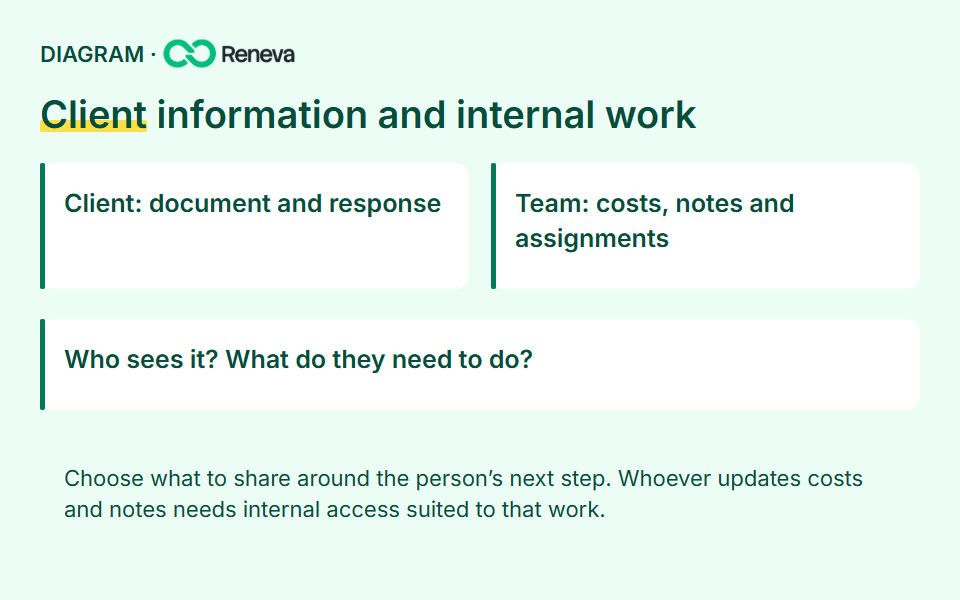
The client needs the information required for their next step. The team needs to organise costs, operational notes, assignments and work with collaborators through the appropriate access.
A client who wants to consult an invoice does not, for that reason alone, need internal access to the management software. A team member who needs to update a supplier's cost needs access suited to that work.
Before sharing, ask two questions: “What can this person see?” and “What do they need to do with it?” These help you avoid both unnecessary information for the client and instructions too vague to get a useful response.
One client, three requests: the Alfa example
Imagine that Marta is the contact for client Alfa, Sara is the agency contact and Luca is an internal team member. These people and the situation are fictional, in November 2026.
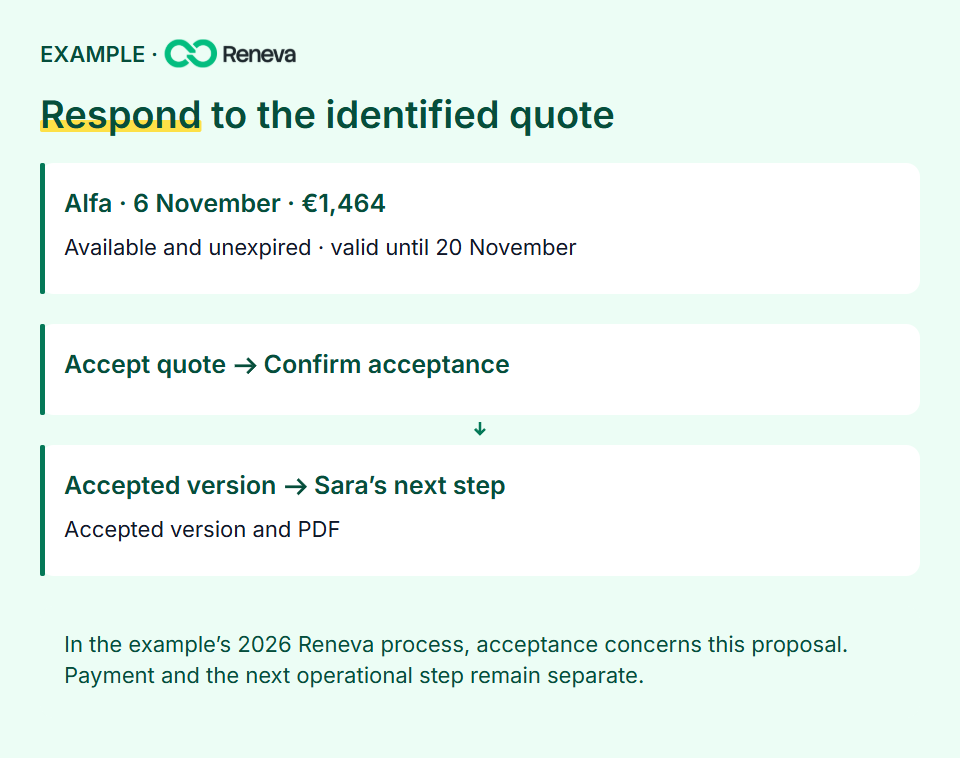
The proposal is the Alfa quote dated 6 November, valid until 20 November: €1,200 plus €264 VAT, totalling €1,464. The 22% rate is assumed only to make the document in this example recognisable.
1. Marta wants to find the quote
Sara needs to point her to the correct document, with its date and amount. Before sharing the link, she checks which other documents will be accessible from that view.
If you use Reneva, the Clients overview guide describes Client portal, on the client record or under More actions. Selecting it copies a new link to that client's document history with the active company: it does not open the portal or send an email. The link then needs to be shared with the intended recipient.
To copy it, you need permission to edit clients; the client must not be archived, must have a valid email and must have at least one published document. The new link is valid for 30 days. Check the client and active company: this gives access to the available history, not just the individual quote you have in mind.
2. Marta wants to accept the proposal
Sara identifies the quote Marta should respond to. In Reneva, when the quote is available and has not expired, the client selects Accept quote, then Confirm acceptance, as the Issuing a document guide explains.
Reneva records the version shown and keeps the accepted PDF. Acceptance through the portal is not a certified signature and does not create a client project or invoice by itself. Sara reviews the accepted proposal and follows the next operational step agreed with the client.
Anyone holding the private link can use it: the link alone does not prove who the person is or that they control the email account. If your agreement requires further checks or formalities, define them separately from the action in the portal.
Accepting a quote, approving creative work and making a payment are different actions. When asking for a response, name the item and the action you want.
3. Marta needs to send the website copy
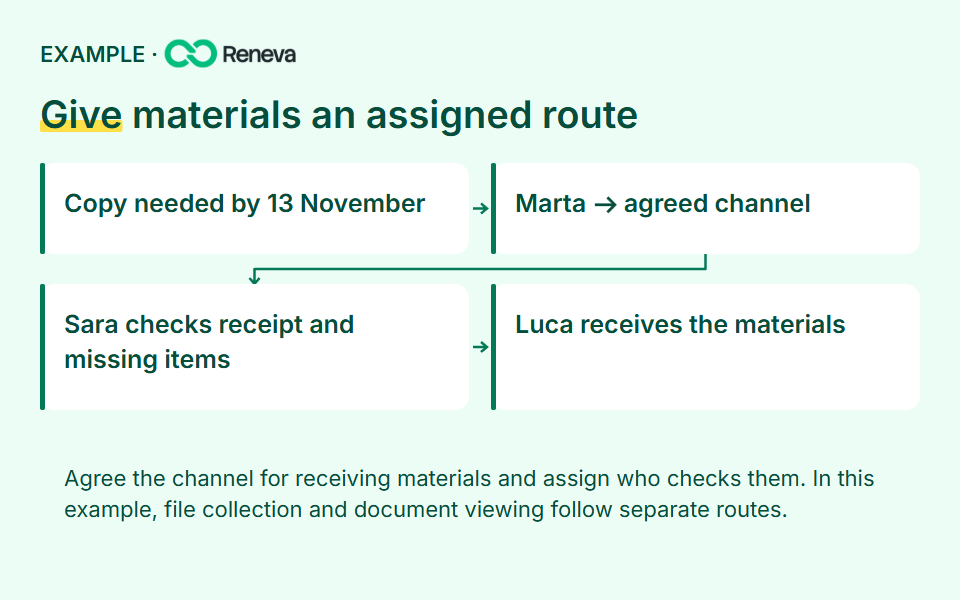
In this example, the copy is needed by 13 November. Sara prepares a list of materials and gives Marta a collection channel already checked by the agency, with instructions for using it.
If you are choosing a portal for this task too, ask to see where the client sends files, where they arrive and how Sara can tell they are there. For the document portal just described, arrange collection through the channel you have actually set up; adding “upload the copy here” to a message is not enough.
Once the material arrives, Sara checks what is missing and passes it to Luca. If an internal task is needed to follow it up, the team needs to create and assign it using its own process.
Supplier costs stay within the team's work
Luca also needs to update a supplier's cost and operational notes. Marta has nothing to do for that request. Luca uses his own internal access, and Sara checks that costs and notes are not included in the content shared with the client.
Check the link before sharing it
For each new share, check:
- the correct client, company and recipient;
- the identified document and the history actually accessible;
- instructions for the next step, including any date;
- how access works, its duration and how it can be revoked;
- the team member who will read the response and follow it up.
In Reneva, archiving the client or revoking access ends access to the portal. Check links when the relationship with the recipient changes. Opening events also do not certify that an email was read or a file downloaded.
Check whether the client can complete the process
When introducing this point of contact, look for three outcomes: Marta finds the right quote, responds to the identified proposal and knows where to send the copy. Sara knows where to look for each result and what to do next.
If the same request keeps arriving through several channels, find where the process breaks down: is the document hard to identify, is the action unclear or is nobody following up the response? Start with that step to improve the next exchange.


