A payment schedule lists the amounts you need to collect and pay, with agreed due dates and outstanding balances. You can build one in a table: each row should identify who pays whom, the document or agreement, the due date, the amount already received or paid and what remains outstanding.
Include a specific next action too. A row saying “check when the balance will be paid” is more useful than one that simply stays red.
This guide, also as a PDF
Subscribe to the newsletter: once you confirm from the link in the email, the PDF guide opens.
This site is protected by reCAPTCHA and the Google Privacy Policy and Google Terms apply.

A completed payment schedule to start from
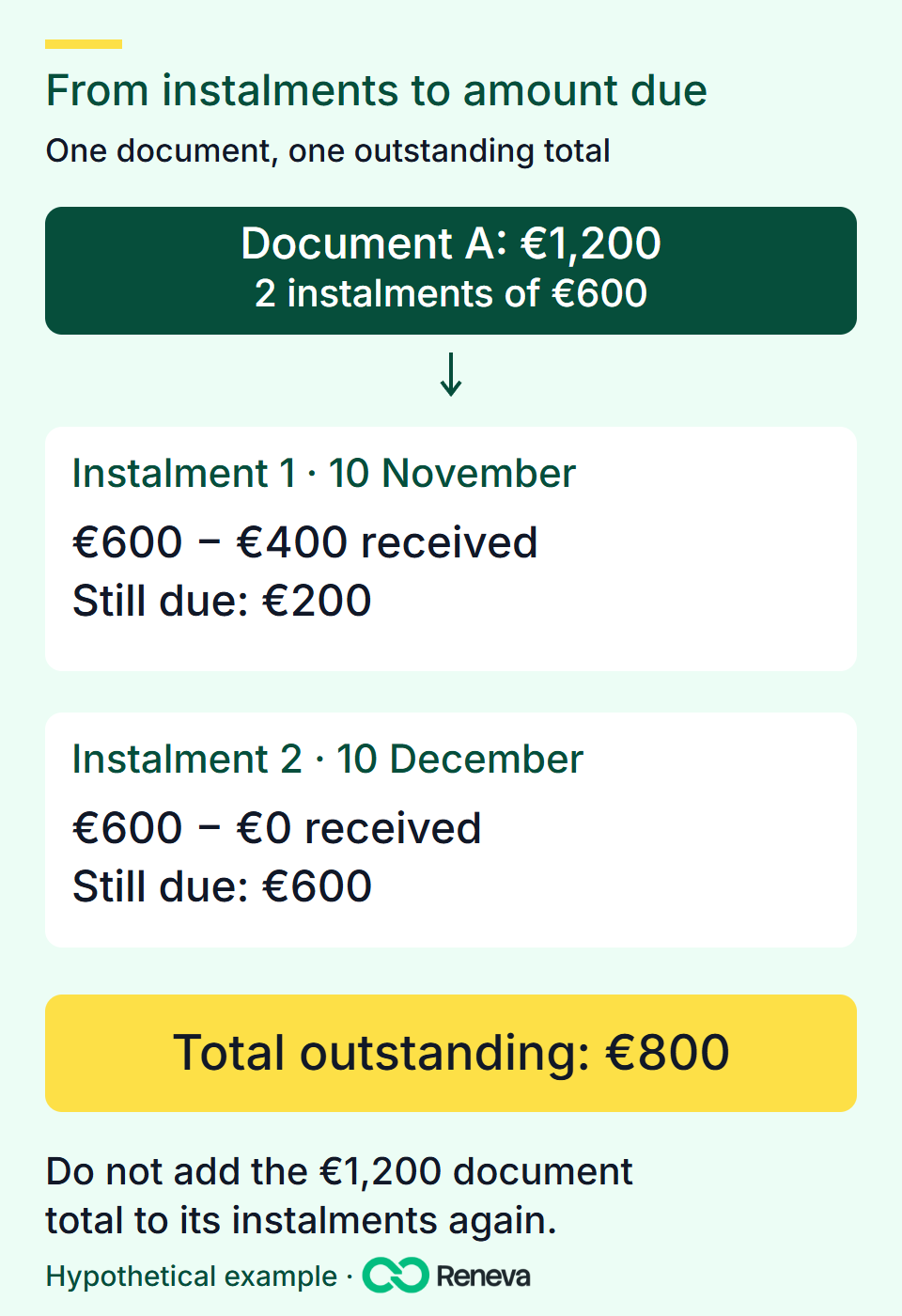
This is a hypothetical example as at 12 November 2026. Client Alfa owes €1,200 on document A, payable in two €600 instalments. On 9 November, €400 arrived towards the first instalment.
| Counterparty and document | Direction | Agreed due date | Instalment amount | Already received | Outstanding | Status | Next action |
|---|---|---|---|---|---|---|---|
| Client Alfa, document A, instalment 1 | To collect | 10 November 2026 | €600 | €400 | €200 | Part-paid, overdue | Check the balance payment date with the client |
| Client Alfa, document A, instalment 2 | To collect | 10 December 2026 | €600 | €0 | €600 | Open, not yet due | Check for receipt at the due date |
For a supplier payment, use the same structure with direction “To pay” and record what you have already paid. Keep incoming and outgoing totals separate: knowing that you have €800 to receive and €500 to pay tells you more than their net difference alone.
You can add an “Expected date” column beside the agreed due date. If Alfa says the remaining €200 will arrive on 18 November, enter that forecast there and keep 10 November as the agreed due date. An updated expectation helps you plan cash, but does not change the agreement by itself.
Download the payment schedule for Excel
The schedule in this example is also a free template: download payment-schedule-reneva.xlsx. It opens in Excel or LibreOffice, with no sign-up and no email.
- Schedule. One row per instalment or document, to collect or to pay. Enter the amount, the due date and what has arrived: the outstanding balance and the status work themselves out, and overdue rows turn red. Totals to collect and to pay stay separate.
- Expected date. If the client says “I'll pay on the 18th”, write it here and the agreed due date stays as it was.
- Cash by date. Opening balance and transactions in date order, with the balance after each one.
The rows already filled in are the examples from this article. Delete them and add your own.
Update the outstanding balance after a part payment
For the first instalment:
€600 due − €400 received = €200 still to collect
The second instalment remains open for €600. The document's total outstanding balance is therefore €200 + €600 = €800.
Use one row per instalment, as in the table, or one row per document with its instalment details linked. In the second layout, the document row shows €400 received and €800 outstanding. Choose one level for your total: adding the document's €1,200 to its instalments again would count the same amount twice.
Record an advance payment actually received against the row or detail it relates to. Keep the date, amount and transaction reference so you can reconstruct it. When the balance arrives, update the outstanding amount and status: a promised payment remains a forecast until you verify the transaction.
Look at the dates before the month's total
The schedule helps with cash planning when you read transactions in date order. A month can finish with a positive balance yet still contain a day when there is not enough money for a payment.
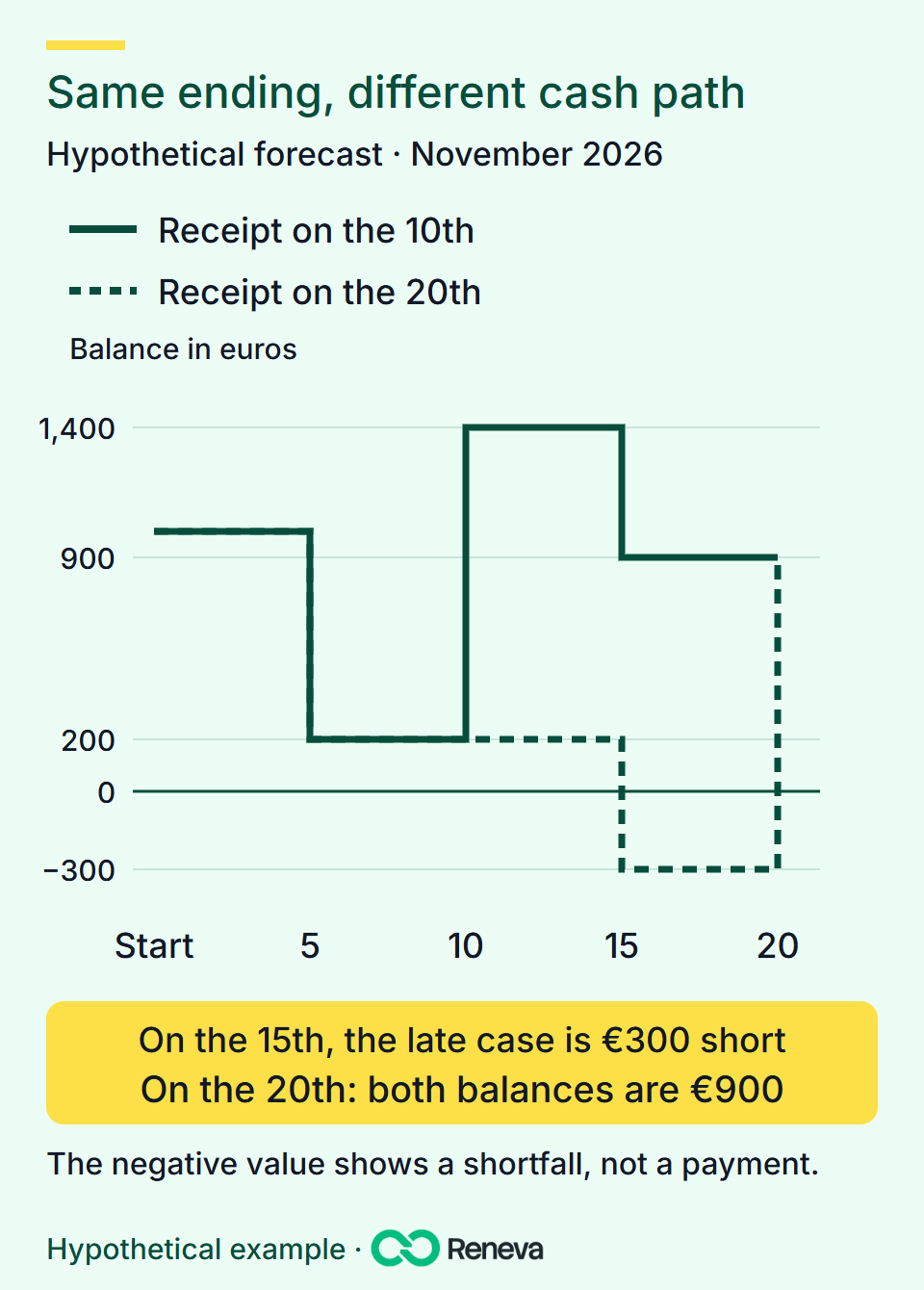
Here is a second hypothetical example, separate from the document paid in instalments. You start with €1,000 available and expect these transactions in November 2026:
- Pay €800 on 5 November.
- Receive €1,200 on 10 November.
- Pay €500 on 15 November.
These amounts are the money moving into or out of the account, without a tax simulation. The forecast calculation is opening balance + receipts − payments. It is an estimate of money movements over time, to compare later with actual transactions.
Now change just one assumption: the receipt expected on 10 November arrives on 20 November.
| Date | Receipt on 10 November | Receipt on 20 November |
|---|---|---|
| Start of the period | €1,000 | €1,000 |
| 5 November, after the €800 payment | €200 | €200 |
| 10 November | €1,400 | €200 |
| 15 November, allowing for the €500 payment | €900 | −€300 |
| 20 November, after receipt in the delayed case too | €900 | €900 |
The forecast closing balance is €900 in both cases. In the second, however, you need €500 on 15 November and have only €200: there is a €300 shortfall.
The −€300 figure shows the missing amount in the forecast; it does not mean the bank will execute a payment without funds. That gap requires a decision before the 15th: check the receipt, identify funds actually available or agree a different payment date. If an agreement changes, update its reference in the schedule too.
Write down what you need to check
When an amount stays outstanding, the next action should help explain why. You may need to check an unrecorded transaction, find the right document or ask for confirmation of a date. Note the outcome and when to check again.
Keep the original due date, amounts already settled and updated forecasts. Deleting an inconvenient row would lose both the remaining balance and the payment history. A reminder, in turn, tells you to check: it does not prove that the money has arrived.
Bring due dates together in your software's calendar
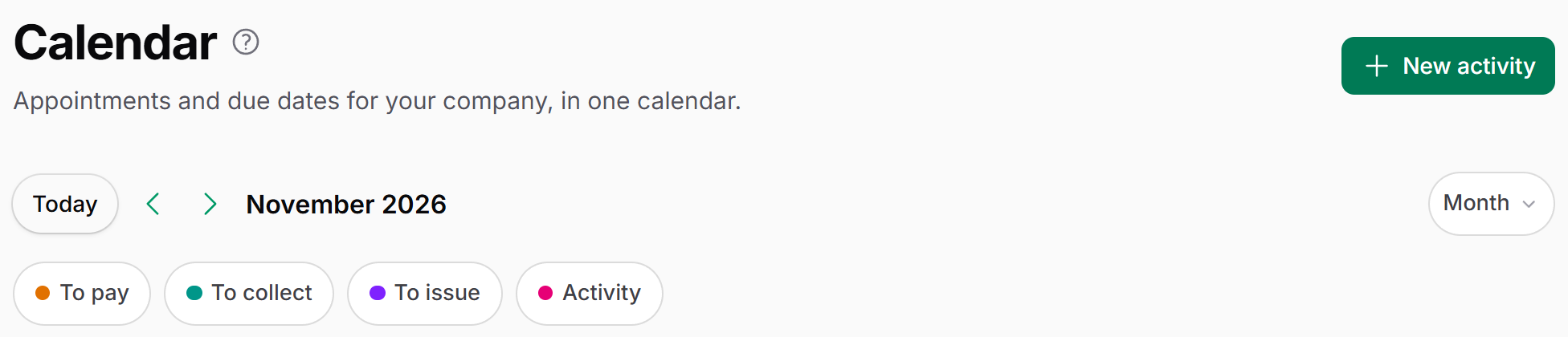
In Reneva's Calendar, you can distinguish “To pay”, “To collect” and “To issue”. The last category concerns work still to be documented: keeping it separate from outstanding receipts helps avoid treating a forecast as money already received. The Guide explains the Calendar's due date types.
Open a due date to reach the linked record and check the document, instalment or expense. To correct a payment due date, change it in that record. When a document covers a subscription period, that period moves from “To issue” to the document's due date, without a second entry for the same forecast.
The calendar gives you a view of dates; checking the transaction completes the payment check. When updating the schedule, compare what you expected with what you actually received or paid, then recalculate outstanding balances and the money available on the following days.