To prepare the documents for your accountant, organise the material into four groups:
- Available sales and purchase documents: invoices and other documents for the period, with their files.
- Transactions and payments: bank statements and references linking money received or paid to the documents.
- Other documents requested by the accountant: those relevant to the work you have agreed with them.
- Open questions: files to retrieve, payments to explain and answers you still need.
Agree with your accountant what to send and how often. Here we prepare a period’s records for a freelancer or service agency, with an index that shows what is available and what still needs attention.
This guide, also as a PDF
Subscribe to the newsletter: once you confirm from the link in the email, the PDF guide opens.
This site is protected by reCAPTCHA and the Google Privacy Policy and Google Terms apply.

Agree the period and the next step
Before collecting files, establish which period the accountant needs, which categories to include and which channel to use. Identify the person who will confirm receipt and follow up.
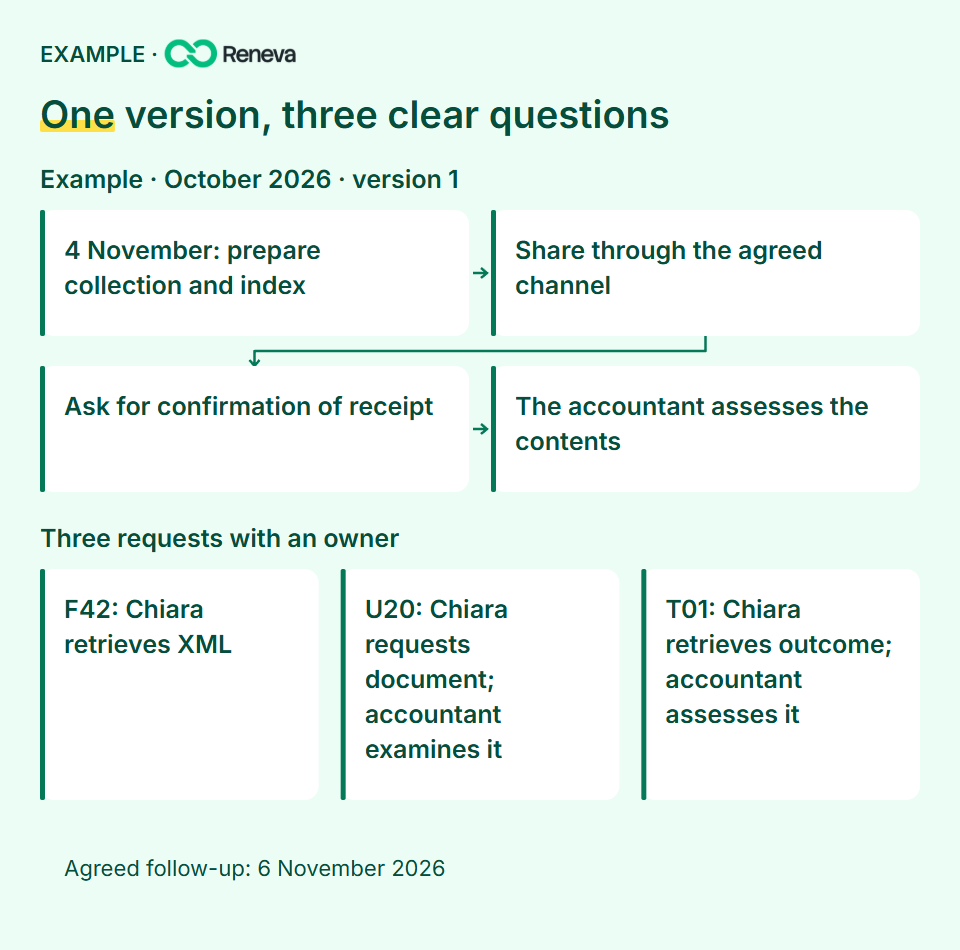
In our invented example, Chiara prepares the records for October 2026 on 4 November and agrees with the accountant to follow up by 6 November. This is an organisational date in the example, not a tax deadline.
Chiara wants two things: to make October’s documents and payments easy to trace, and to know who will retrieve the information still missing.
Link each payment to its document
For each document, note its reference, date, client or supplier, total amount and available files. For each payment, also keep the date and a reference that lets you find it on the bank statement.
An invoice can have several payments. It can also have several files: an XML file and a readable PDF of the same invoice are not two separate invoices. A shared index keeps that relationship clear without multiplying the documents.
October’s example: two invoices, €1,500 received
Chiara has two sales invoices. The client names, references and amounts are fictional. The figures are the documents’ total amounts; we do not recalculate VAT or other tax amounts.
| Invoice in the example | Total amount | Payments confirmed in October | Outstanding |
|---|---|---|---|
| F41 dated 5 October, client Alfa | €1,200.00 | €500 on 15 October, B01; €700 on 23 October, B02 | €0.00 |
| F42 dated 20 October, client Gamma | €800.00 | €300 on 30 October, B03 | €500.00 |
| Total | €2,000.00 | €1,500.00 | €500.00 |
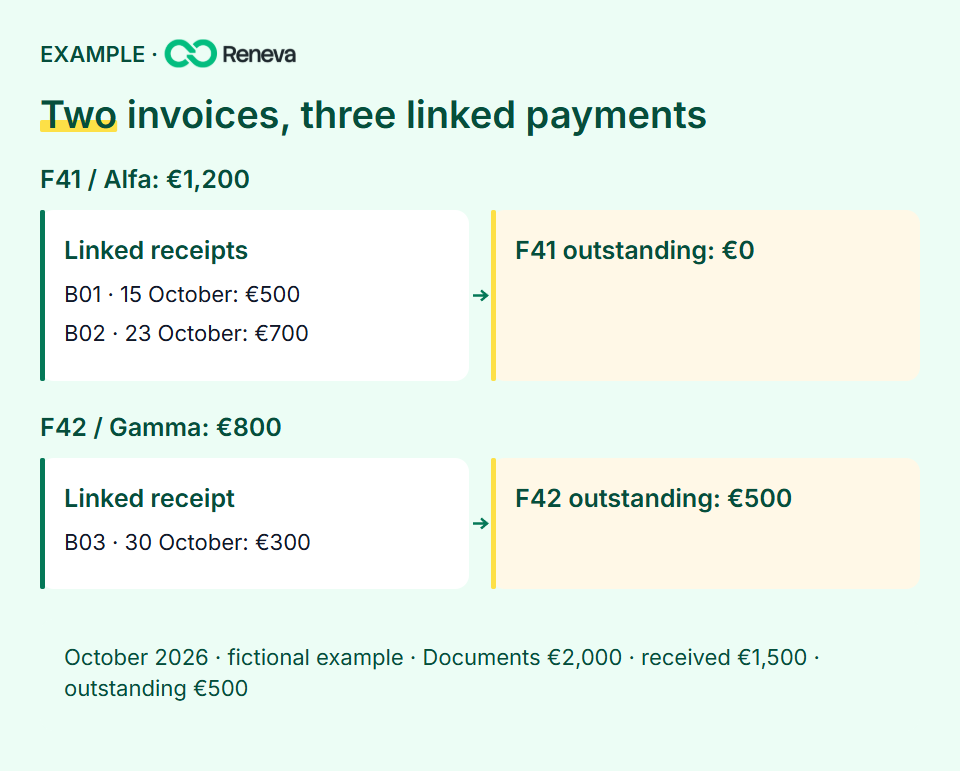
F41 was paid in two parts: €500 plus €700 covers the €1,200 due. For F42, €300 of the €800 has arrived, leaving €500 outstanding.
This table separates the value of the documents from the money actually received. References B01, B02 and B03 help the accountant find each payment on the bank statement.
The index of material to share
Alongside the payment table, Chiara prepares an index with five references:
| Reference | What it describes | Material available | Still to resolve |
|---|---|---|---|
| F41 | Alfa invoice, €1,200 | XML, readable PDF and the outcome linked to the document | Nothing outstanding in the example |
| F42 | Gamma invoice, €800 | Readable PDF and payment B03 | The accountant also needs the XML, which must be retrieved |
| U20 | Payment to Beta on 18 October, €240 | Bank transaction B04 | The document explaining the purchase must be found |
| U21 | Bank fee on 31 October, €3 | Bank statement, entry B05 | Nothing outstanding in the example |
| T01 | Italian F24 tax payment form prepared on 25 October, €150 | Prepared form | Whether the payment went through still needs checking |
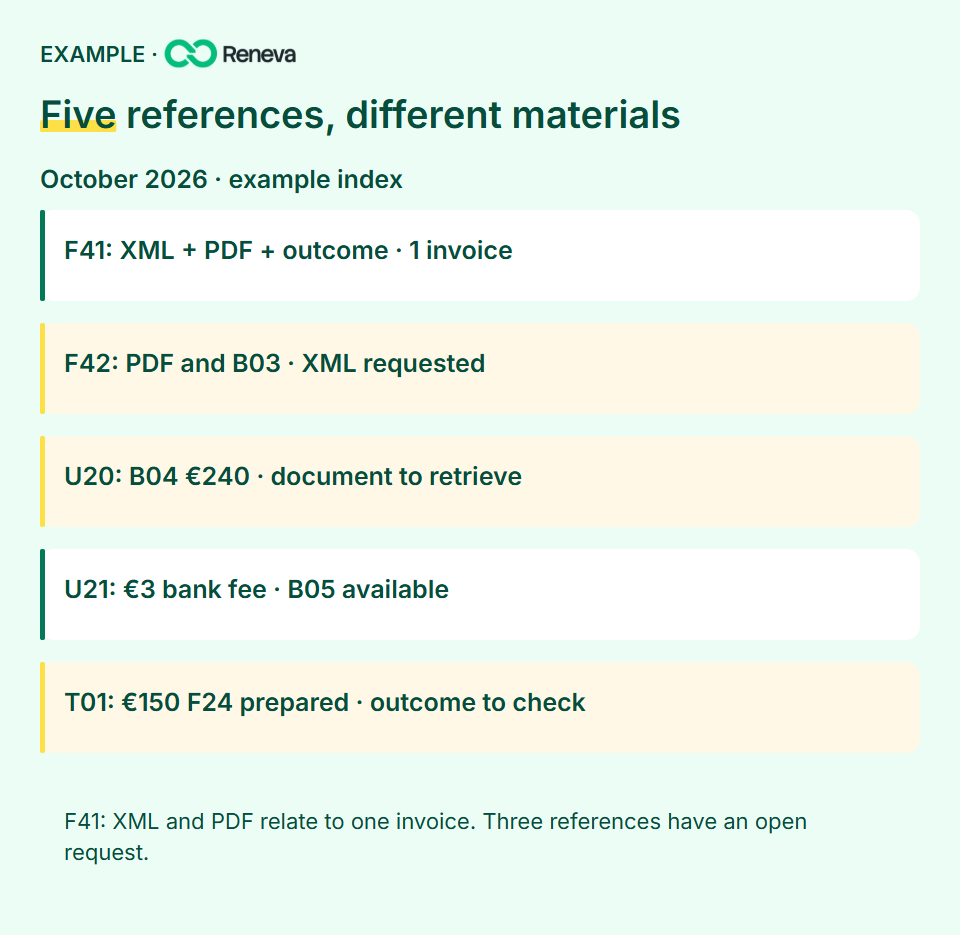
The index includes both documents and references that need completing. The €150 F24 form is not counted among confirmed payments: the example still lacks the payment outcome needed to establish whether it was made.
Turn the missing information into three specific requests
Chiara does not need to wait for an apparently perfect folder before making the problems visible. She can share what is available and flag these three items, following the arrangement with her accountant:
| Reference | Question to resolve | Who takes the next step |
|---|---|---|
| F42 | Where can we retrieve the XML requested for this invoice? | Chiara searches the channel actually used for the document |
| U20 | Which document explains the €240 payment to Beta? | Chiara asks the person who placed the order; the accountant examines the document |
| T01 | Was the €150 payment made? What is its outcome? | Chiara retrieves the outcome or payment receipt requested and submits it to the accountant |
The agreed follow-up date for all three is 6 November. If a search is unfinished, Chiara updates the reference with what she has checked and the next step.
For F42, changing the PDF’s file extension would not produce the requested XML. For U20, inventing an invoice number would hide the question about the purchase. For T01, marking the payment as made solely because the form was prepared would jump to a conclusion. Keep the known facts and the request for more information together.
If you use Reneva, check what Download contains
When preparing files from Accounting records, check the period in the Download from Accounting records window: the period in the list is only the starting value. Then select the reports and originals needed for the agreed exchange.
The Guide What goes into the Accounting records and the package describes the available reports and attachments. With multiple reports or originals selected, the package contains the selected reports and files that are actually available. If an original is missing, LEGGIMI.txt lists it: check the file before marking your collection as complete.
Use the package as a starting point for the discussion with your accountant. The Tax summary is not a tax return, and downloading the files does not replace one. Invoices Reneva sends to and receives from the SdI are already retained in compliance with Italian rules for 10 years on OpenAPI's platform.
Share an identifiable version and ask for a response
Chiara could name the collection “Studio Chiara, October 2026, version 1” and include:
- the index covering F41, F42, U20, U21 and T01;
- the documents actually available, distinguishing originals from readable copies;
- the bank statement and payment table B01–B05;
- the three open questions, with a contact and the agreed follow-up date.
Share it through the agreed channel with the correct recipient. When more information arrives, update the same reference: for example, add the retrieved XML and the update date to F42. The accountant should be able to distinguish the initial version from what you added later.
If you exchange files in Reneva, the Guide Contacting the accountant describes messages and attachments for the selected company and recipient. You need an active private connection, plus the required role permissions. Opening a request or replying requires Edit. Ticket attachments do not enter Accounting records on their own: sharing a file and recording it are separate steps.
Finally, ask whether the collection arrived and which items still need completing. Receiving the files and the accountant’s assessment of their contents are separate confirmations. The exchange is easier to follow when both of you know which references are complete and who is working on the others.