

A proforma invoice is a preparatory document that summarises a service and the amount requested from the client. You can use it to request payment and check details before the tax invoice, which remains a separate document. Sending a proforma does not, by itself, show that the client has paid.
For ordinary domestic services in Italy, receiving payment means you need to handle invoicing within the applicable deadlines. You can also issue the tax invoice before payment: a proforma is not a mandatory stage in every assignment.
This guide, also as a PDF
Subscribe to the newsletter: once you confirm from the link in the email, the PDF guide opens.
This site is protected by reCAPTCHA and the Google Privacy Policy and Google Terms apply.

Quotes, proformas and invoices do different jobs
A quote presents the offer to be agreed; a proforma can summarise the amount requested for the agreed service; the invoice documents the transaction for tax purposes. To establish what has been paid, you also need to check the payment received.
| Document | Its role in the client relationship | What to check |
|---|---|---|
| Quote | Present the proposed service, price and terms | Which offer was accepted and on what terms |
| Proforma | Summarise the service and request payment | Amounts, client details, reference to the agreement and payment status |
| Invoice | Document the transaction for tax purposes | Tax details, amounts, issue deadlines and links to payments received |
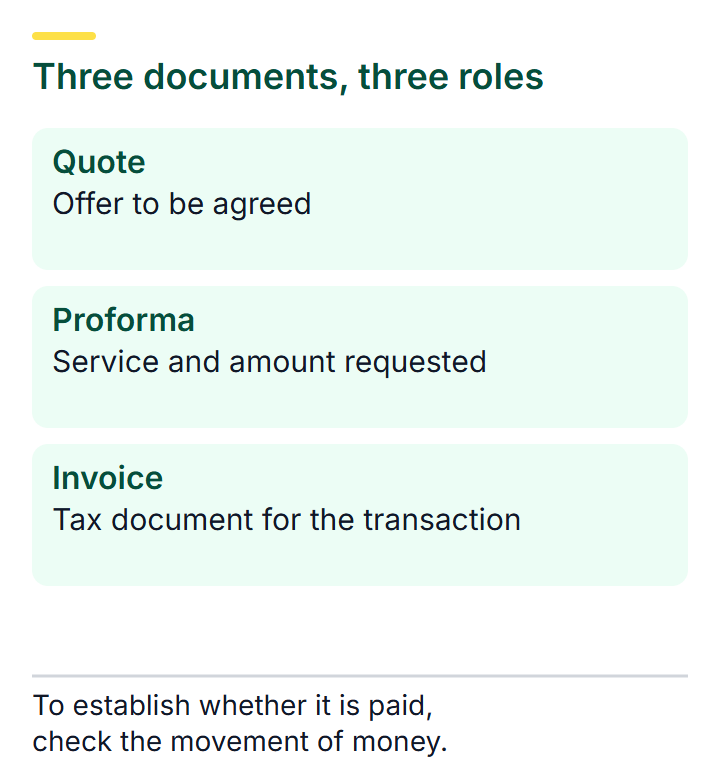
A proforma does not replace an invoice or acknowledge that payment has been received. An invoice can still be unpaid too: the document’s name and the movement of money are separate pieces of information.
Likewise, receiving a proforma is not enough to establish whether an amount is owed. Look at the service and underlying agreement: the format of the request does not cancel what was agreed.
When a proforma can help
A proforma can help you send the client an identifiable request with the service, amount and payment instructions before the invoice. It also lets the person arranging the bank transfer check the client details and amounts.
For example, you have agreed a consultancy service and the client asks for a summary to pass to their accounts team. You can include the assignment reference, total requested and agreed due date. If a detail needs correcting, check it before preparing the tax invoice.
Keep that preliminary check in step with tax deadlines: if payment has already arrived, you cannot postpone invoicing simply because the client is still checking the proforma.
Make the request clear and recognisable
Prepare a document the client can readily distinguish from an invoice. As a practical checklist, include:
- the prominent wording “Proforma, not valid for tax purposes”;
- details of the party requesting payment and the client;
- a date and recognisable reference, such as “PF7”, distinct from invoice numbering;
- the service and reference to the agreement or assignment;
- the amounts and tax items applicable to your circumstances;
- the total requested, payment method and agreed due date.
This is a practical outline for a readable request, rather than a list of an invoice’s legal requirements. The wording identifies the document’s nature; it does not let you disregard an invoicing obligation that has already arisen.
Before sending it, compare the summary with the agreement. The total needs to include the items that apply to your case: copying only the fee from a quote may leave out part of the amount to request.
An example: a €1,000 proforma and one payment
Suppose a total payable of €1,000 has been agreed for an ordinary domestic service in Italy. This is an invented example: assume the applicable tax items have already been correctly determined; we do not calculate them here.
The request could read:
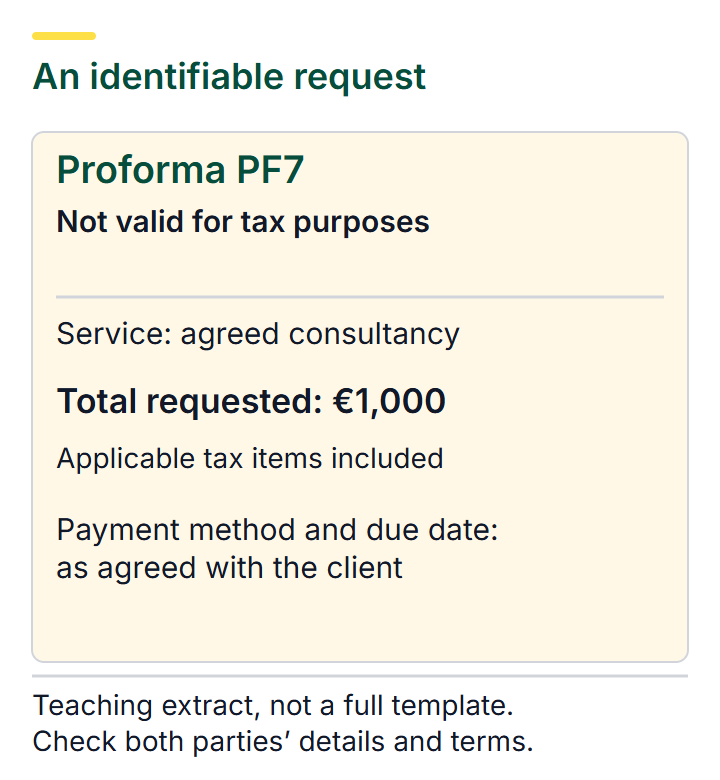
Proforma PF7, not valid for tax purposes
Service: consultancy covered by the agreed assignment.
Total payable: €1,000, including the applicable tax items already determined.
Payment method and due date: as agreed with the client.
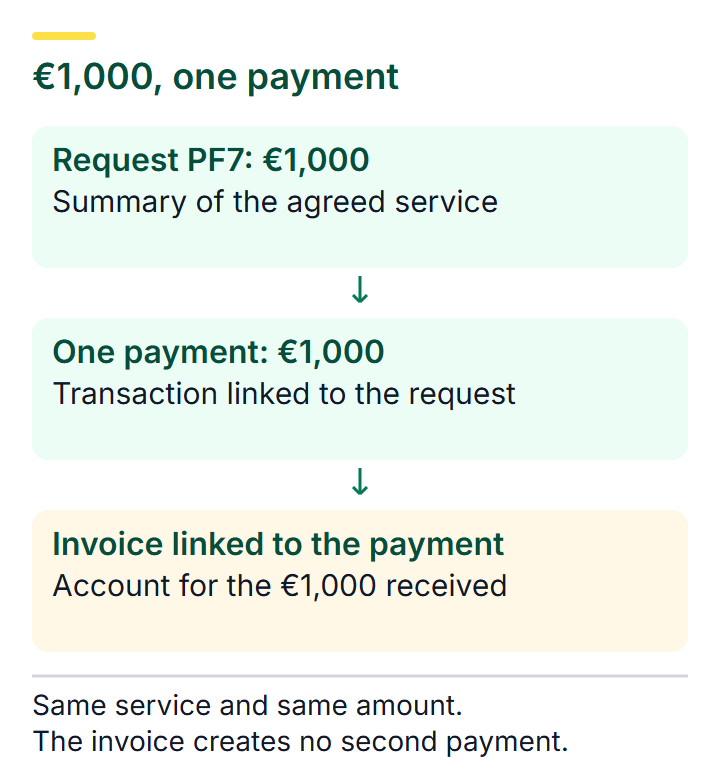
The client pays €1,000. Link the transaction to request PF7, prepare the tax invoice within the applicable deadlines and keep the connection between the documents. Take the payment already received into account on the invoice and when tracking the amount owed.
The €1,000 proforma and the invoice for the same service do not create two separate €1,000 amounts due. You are following the same amount through documents with different roles. Issuing the invoice is not a reason to request a second payment.
If only part of the amount is received, the situation changes: distinguish the amount paid from the outstanding balance. The article on deposit and balance invoices explains that sequence.
When to issue the tax invoice
For ordinary domestic services in Italy, payment matters when determining when the transaction takes place for VAT purposes. If you issue the tax invoice first, the transaction is treated as having taken place for the amount invoiced; an advance payment is also relevant for the amount paid. A proforma therefore does not always let you wait until the work is finished. The reference is Article 6 of Italian Presidential Decree 633/1972.
For an immediate invoice, the general rule is to issue it within twelve days of the transaction taking place. There are exceptions: deferred invoicing for services, for example, requires transactions identifiable through suitable documentation, carried out in the same month for the same client. In that case, an invoice detailing them may be issued by the 15th of the following month. Having a proforma alone does not show that these conditions are met. The rule is in Article 21(4) of Italian Presidential Decree 633/1972.
This explanation concerns ordinary domestic services in Italy. Cross-border services and other special cases require the rules for the specific situation.
Keep the request, invoice and payment connected
When preparing the invoice, check the details and keep the amount already paid identifiable. Retain the proforma reference, invoice reference and payment date so you can reconstruct the sequence without recording the same amount as owed twice.
If you use Reneva, open an issued proforma’s card and choose Convert to invoice: the invoice gets its own number and keeps the tax choices. Check the number, due date and amounts during the conversion; the Guide to issuing documents explains the steps.
The final check is practical: the request is connected to its invoice, payment is recorded against the right transaction, and the amount still requested matches what actually remains to be collected.


